Android · App Walkthroughs · Featured
The Moron Test Answers and Walkthrough
This is a full walkthrough of the "Moron Test" a very popular game for both IPhone and Android.
The Moron Test Walkthrough
The Moron Test: Old School The Moron Test: Late Registration The Moron Test: Winter Break The Moron Test: Food Fight The Moron Test: Skip Day
The Moron Test: Old School
You can check a video walkthrough of this game here: [youtube\_sc url="http://www.youtube.com/watch?v=Tj1lRlbxGcU"]
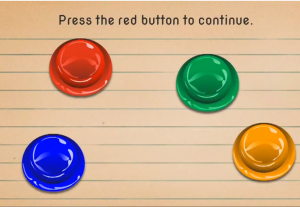
- First you will be asked to carry out a very simple task: to press the red button in order to begin.
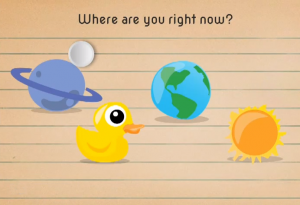
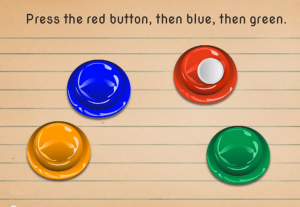
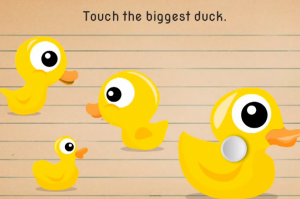
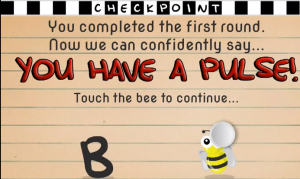
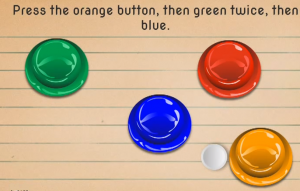
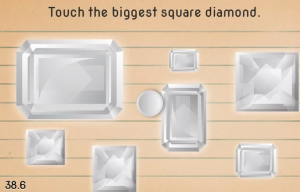
- Tap the earth icon to answer the question: where are you right now?3. Tap the sun icon when prompted: Now touch the sun. Don't worry it's not hot.4. Tap the Saturn icon when prompted: touch the remaining planet.5. Now, touch the plus sign when prompted.6. Tap carefully the screen to crack the eggs from left to right.7. Press the buttons on the screen in the requested order: red, blue, green.8. Choose the duck in the bottom right side when prompted: Touch the biggest duck.9. A checkpoint will follow. Here you should press the bee and not the letter “B.”10. “Press the orange button, then green twice, then blue.” This stage might pose some difficulties: as you press the orange button, the green and the blue one will change positions. Then, when you'll be pressing the green button, their positions will change again.11. “Touch the computer mouse:” be careful not to touch the real mouse.12. “Touch the ducks from largest to smallest:” begin with the one on the right side. Be careful that the smallest one is right behind the largest one.13. “Pay attention: Touch anywhere to continue.” Tap the screen.14. You'll be shown three numbers: 1, 3, 5. The next screen will show you four other numbers (136, 7, 9, 10) and ask you to press the number which is the result if you add the previous numbers together. And the answer is 9.15. The next screen is a checkpoint and another request: touch the "male" icon and not the "mail" icon.16. At this stage you are required to press the green button five times.17. “Touch the biggest square diamond.” Be careful to touch the one on the right on top, and not the rectangle on the left (which is bigger but is not a square).
- “Crack the eggs from smallest to largest.” Begin with the one on the right side.19. “Touch the ducks biggest to smallest according to eye size.” Be careful that the eye size is not proportionate to the body size. Also the ducks will change positions when you select them. 20. Although it has an inscription calling you to continue, don't press the red button. Be careful that it will take a few seconds until you pass to the next level. This will tempt you touch it.21. Another checkpoint: “Everything with a brain makes it this fair. You are now an average mammal.” The task on this page is to touch the pie. Be careful that you have to press the pie icon and not the Pi (π) number 3.14.22. “Tap the egg until it cracks open.” You will have to be patient and tap the egg 11 times.23. Here you have to be very very fast: as a duck will pop up for less than a second, you'll have to tap it right away.
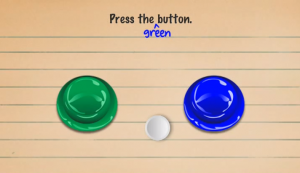
- Be careful to keep in mind the hint from this stage: “it's the green one.”25. Press the red button seven times. Be careful as the button will change its position after you tap it.26. Checkpoint: “6 out of 10 chimpanzees consider you slightly smart.” The question here is “Which has the most carats.” Chose the diamond and not the carrots.27. Another tricky one: from smallest to biggest, press the numbers, according to their size. The order will be: 2, 37, 15, 14, 23. Be careful that the position of the numbers will change while you play.27. Another tricky one: from smallest to biggest, press the numbers, according to their size. The order will be: 2, 37, 15, 14, 23. Be careful that the position of the numbers will change while you play.28. Read the message “You are doing great so far,” but don't press the button that says “Start over.”29. On this page you'll see a compass. You will be asked to press the North once and the South twice. Be careful to stop after you touch South. The directions of the compass will change completely and the South will be on the position of East.
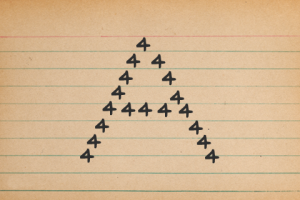
- First look at the shape and at the elements it was made of. It is an “A” made of tens of little “4”s. Then answer the question: “Which number made the shape?” [4].
- “Right click the mouse.” Be careful, as you must press the button on your left because the mouse is turned up-side down.
- At this stage you will see four different buttons but no instructions. You must remember the hint you read several stages before: it's the green one.
- Another checkpoint and the question you have to answer here is: “Don't touch the Dad, touch the Sun.” Be careful not to touch the penguin dad's son but the yellow Sun above the two penguins.
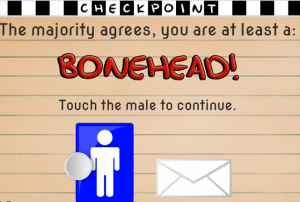
- “Press the Orange button ten times.” Be careful because after several tap the button will change its position and will become green. Stop clicking when it turns green, then click it again when it turns orange for the final three times.
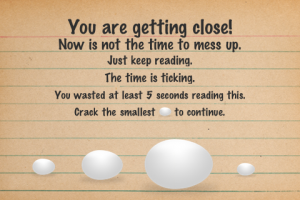
- “Crack the smallest egg to continue.” The smallest egg is right in the sentence and not in the series of eggs below.
- “Quick! Press the blue button.”At this stage you'll have to be very fast to press the blue button.
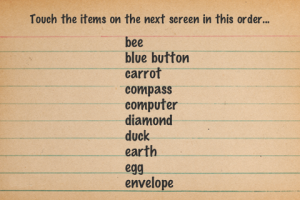
- First take care of the hint: it's as easy as ABC. Then touch the screen to move to the next screen. You'll see a list of words. You don't have to memorize them, just notice that they are arranged in alphabetical order. On the next page, you'll see represented the objects named on the previous page: bee, blue button, carrot, compass, computer, diamond, duck, earth, egg, envelope.
On the last page, you will be asked to tap a green arrow. Turn your device around and the arrow will turn green and “up.” You finished.
Next Page »
The Moron Test Walkthrough
The Moron Test: Old School The Moron Test: Late Registration The Moron Test: Winter Break The Moron Test: Food Fight The Moron Test: Skip Day
The Moron Test: Late Registration
You can also check a video walkthrough here: [youtube\_sc url="http://www.youtube.com/watch?v=8aJG9rPngE8"]
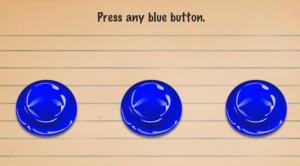
- First step is easy: press any blue button.
- On this page, you'll see four buttons and you'll have to press any of the two red buttons.
- Here you'll see a slice of an orange and three animals. Answer the question: “Which does not belong?.” [orange].
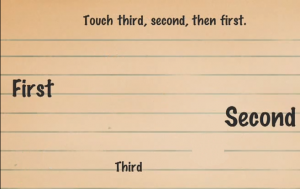
- Touch the words third, second, and first in this order. Be careful not to confuse with the actual order.
- On this page you are announced: “Don't trust the next notecard.” So, you should not press the green button when prompted to do so on the following card. Be careful that the green button will stay there for a while.
- On the next card, you'll be advised to be careful with the grey cards: “Those pesky grey notecards will always try to trick you. Do the opposite of what they say!”
- Checkpoint: “How many days are in 72 hours.” The answer is 3.
- Press any button except orange. Press one of the blue, the red, or the green buttons.
- Touch the giraffes from tallest to shortest. Begin with the one on the right, then touch the one in the middle, and finally the one in the middle.
- “Press the green button.” You'll see a green and a blue button. Don't be mislead by the color of the word “green” and push the real green button.
- Press the leftmost green button: Touch the green button which is below the blue.
- Which piece solves the puzzle? Tap the bottom piece on the right. This puzzle piece has the duck's nose which is missing from the bigger picture.
- Dial 555-DUMB. Press 5-5-5-3-8-6-2.
- Pay attention! You'll see three buttons: 2 blue and one red. Then you'll have to answer the question: how many blue buttons were there? The answer is 2.
- Don't press the green button. Don't do anything and wait for a couple of seconds. Yet, be careful, because, after a few seconds you will read “Quick! Press green button.” That is the time to press the green button.
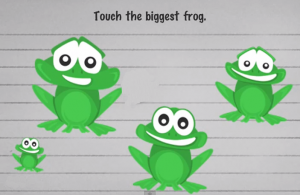
- Touch the biggest frog. This is a grey notecard, so, you must remember that you should do the opposite to the instruction. Go on and press the smallest frog.
- Checkpoint: touch the mail to continue. Touch the envelope but do not touch the male sign in blue.
- “Which does not belong?” Touch the third arrow which has its head to the left.
- “Press the orange button 7 times.” Press the button but be careful as the button will move away into different positions.
- “Touch the giraffe with longest neck”. Touch the giraffe on the right.
- “Scare the turtles from smallest to largest.” Begin with the one in the upper right side but be careful not to touch the frog.
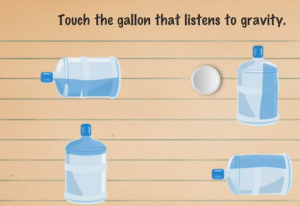
- “Touch the gallon that listens to gravity.” It is the gallon on the top left side.
- “Which piece solves the puzzle?” it is the piece from the left bottom which also has one star.
- “Set the time to 6:15, then touch the green clock.” To do so you need to turn your device upside down and the clock will turn green. Then, tap that green clock.
- Checkpoint: touch the blue jeans and not the gene symbol.
- “Touch the correct sun:” touch the sun on the right which makes the turtle's shadow.
- “Quick press the next four blue button:” press the blue button. You can figure out the buttons after several attempts. The button position changes from right to left.
- “Touch the frog from top to bottom:” be careful, this is a grey notecard and you have to do the opposite. Therefore touch the frogs from bottom to top.
- “Multiply the number! What's the answer?” The answer is 4 x 2 x 5= 40
- “Press the red button 5 times.” Press the button but be careful as it the button position will change every time you touch it.
- “Quick touch the notecard!” You have to touch at any point on the empty screen but not the envelope.
- “Don't press the arrow!” Wait for a few seconds until you move to the following question.
- “Touch pi (π) to continue:” 3.14 is the answer and not the other numbers or the representation of a pie.
- “Don't trust the next notecard.” This a grey card, so you must do the opposite. Don't touch anything but just wait for the next card to show up.
- “Wake up the left turtle.” Touch the left turtle with the picture zzzzzz.
- “Quick! Fix the box and touch the giraffe.” Turn you tablet accordingly and then press the giraffe.
- “Dial the numbers in order from 1 to 9.” Be careful when pressing 8 and 9 because they will switch positions.
- “Do you see blue triangle? Press the triangle to continue.” Don't press the triangle on the card but the triangle in the question.
- “Touch the ferry to continue:” Press the ferry and not the fairy.
- Look carefully at the picture and then answer the question: How many blue buttons were there? The answer is 5.
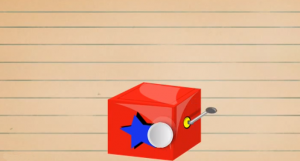
- “Tap the box until it opens:” Touch the opener.
- “Quick! Close the box:” Touch quickly the star button.
- “Touch the empty glass.” To empty the glass you'll have to rotate your device and then touch the glass.
- “Pieces:” Touch the piece on top in the middle.
Next Page »
The Moron Test Walkthrough
The Moron Test: Old School The Moron Test: Late Registration The Moron Test: Winter Break The Moron Test: Food Fight The Moron Test: Skip Day
Moron Test: Winter Break
[youtube\_sc url="http://www.youtube.com/watch?v=N17TnUGXr8k"]
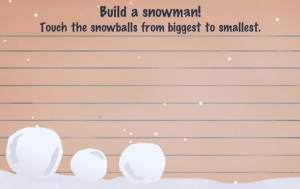
- “Build a snowman! Touch the snowballs from biggest to smallest.” Start with the one on the left. Then add the hat after you add the arms.
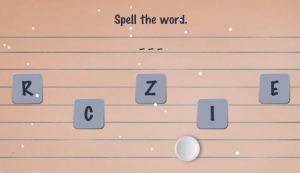
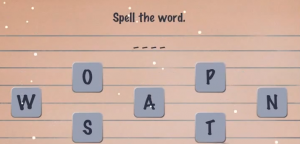
- On the next page you'll be given a hint: ICE. Then, you'll be asked to spell the word by selecting and touching on the letters I-C-E from a group of letters that also contains other letters.
- “Touch any penguin to continue.” Be careful to do it quickly.
- “Press the red button to continue.” The button is in an ice block, so you have to first break the ice.
- “Touch anywhere to continue.” At this stage you will also be warned that “our buttons have frozen over. You have to break the ice before you press them.”
- Checkpoint: “Touch the B to continue.” Touch the letter B and not the bee.
- “Touch the penguins from smallest to largest.” Start with the second one from the left and end with the first from the left.
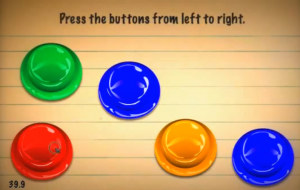
- “Press the buttons from left to right.” Follow this sequence: blue-yellow-red-blue-green.
- “Touch the penguin to continue.” Tap the ice several times than tap the penguin.
- “Which does not belong?” The sleigh.
- “Touch the shortest icicle.” It is the first on the right.
- “Touch the sticks to start a fire, but don't get burned.” Be careful how you use the sticks because the fire will appear almost instantly.
- Checkpoint: “Touch the win pen to continue.” Touch the pen and not the penguin.
- “Quick! Touch the turtle.” You have to be very fast.
- You'll be given a hint: “Snow.” Then, spell the word S-N-O-W by selecting and touching the word's letter from a larger set of letters.
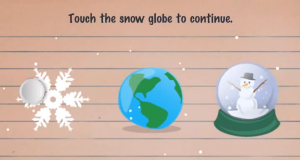
- “Touch the snow globe to continue.” Tap the snowman in the globe on the right.
- “Touch the penguins from smallest to largest.” Be careful, there is a very small penguin on the right, next to the biggest one. Also, tap carefully because the penguins will change positions.
- “Press the buttons from right to left.” Be careful, many of them are in ice blocks which move around. So, you'll have to press them several times.
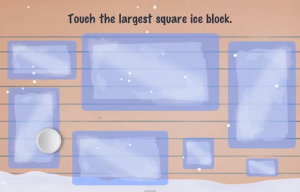
- “Touch the largest square ice block.” Be careful that most of the ice blocks on the board are rectangles. The only square is the small one in the lower part of the board.
- “Touch the mousse to continue.”Do not touch the mouse.
- “Touch the next six blue buttons.” Be careful because all the buttons are encased in ice blocks and they change positions all the time.
- “Quick! Touch the frozen green button!” Be quick to break the ice block and release the button.
- “Touch the snowflake that matches!”At this stage you'll first get a hint in the form of a snowflake. You'll have to remember its shape in order to match it with the one on the next screen.
- “Press the orange button, then blue twice, then green.” Be careful to maintain the order.
- “Quick! Touch the giraffe!” You'll first see a frog, then, a turtle, and, eventually, a giraffe completely dressed in blue.
- “Press the red button 5 times.” Be careful, the button will be encased in an ice block and then will change its color.
- Checkpoint: “Which one has the most carrots?” Answer: the middle bunch.
- “Press the buttons from left to right.” Begin with the red button, be careful that two of the buttons are in ice blocks.
- You'll be given a hint, the word: WINTER. Spell the word by selecting the letters W-I-N-T-E-R from the set of letters on the board.
- “Which does not belong?” The turtle in the right corner with a white spot on the face.
- “Touch the timer.” Touch the clock.
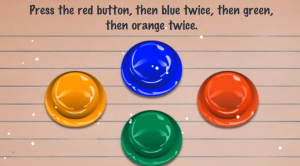
- “Press the red button, then blue twice, then green, then orange twice.” Be careful that the position of the buttons will change.
- “Don't touch the Dad, touch the Son.” Touch the smaller penguin and not the sun.
- You'll get a hint: a penguin.
- “Quick! Touch the frog!” Do not touch the “continue” red button and wait until the frog briefly. Be careful that there will be several penguins showing up.
- “Press the green button twice, then blue three times, then orange, then red four times.” Be careful that the positions of the buttons will change.
- At this stage you are asked to spell a word. Remember the previous hint: PENGUIN and select the letters from the given set.
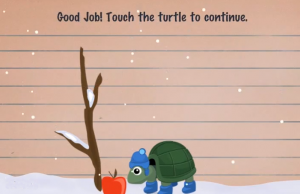
- “Help the turtle get food for winter.” Shake your device to make the apple fall.
Next Page »
The Moron Test Walkthrough
The Moron Test: Old School The Moron Test: Late Registration The Moron Test: Winter Break The Moron Test: Food Fight The Moron Test: Skip Day
Moron Test: Food Fight
- “Touch the circle, then the octagon, the square.” Tap the blue circle, the green octagon, and the red square. Do not touch the yellow triangle.
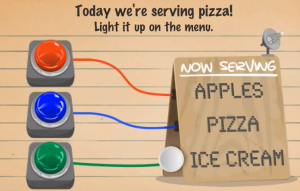
- “Today we're serving pizza. Light it up on the menu.” Press the blue button.
- “How many slices have pepperoni?” The answer is 5.
- “How many slices have cheese?” The answer is 8.
- “Touch the smallest square, after you touch the biggest one.” First, touch the orange rectangle and then the green square. Be careful that the shapes will change places.
- “Turn on the black light.” Tap the switcher and flip it to turn on the black light.
- Hint: “The black light reveals hidden instructions and objects. If you spot a switch, you must flip it before doing anything else.”
- “Touch the backmost bird.” It is the bird in the bottom right corner.
- “Touch the night to continue.” Touch the moon and not the knight.
- “Press the orange buttons from right to left.” Be careful not to touch the blue button.
- “Knock the wooden door until it opens.” Knock several times and a snake will come out.
- “Touch the monkey's left hand.” Tap the hand on the right of the board.
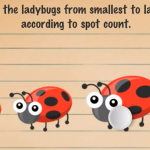
- “Touch the lady bugs from smallest to largest, according to spot count.” Be careful to count the spots: begin the one on the back of the leftmost one. Continue with the second one from the right which has three spots, and so on.
- “Touch the red circle, then the green square, then the orange triangle twice.” Be careful that after you touch the red circle, you'll get other shapes of different colors on the screen.
- “Touch the hare to continue.” Do not tap the hair.
- “Enter 0.7734.” Enter the number and then press the equal sign.
- Here you'll get a hint which you should remember: “It's the third one.”
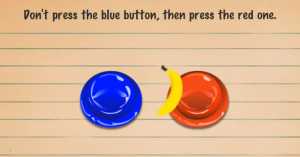
- “Don't press the blue button, then press the red one.” Press only the red one.
- “Touch the monkeys from smallest to largest, according to ear size.” Begin with the one with the head upside down, then continue with the one on the left, and so on.
- “Touch the biggest triangle.” Be careful that this stage has a switch which you'll have to flip. After you flip it, touch the white triangle which will appear.
- “Quick! Close the door!” You'll see a giraffe in a toilet but you must be very fast to close the door.
- “Touch the smallest number.” The answer is 9.000.
- “Touch the frontmost bird.” It's the one in the left lower corner.
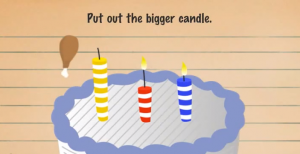
- “Put out the bigger candle.” It's the blue one, because the yellow is already put out.
- “How many slices have pepperoni?” The answer is 8.
- “We're all out of pizza. Quick! Turn off the light!” Press the blue button.
- “How many strawberries were there?” The answer is 2.
- “Touch the bass to continue.” Press the musical instrument.
- “Press the biggest red apple.” Press the small red apple on the right and not the tomato.
- “Spray the soda.” Turn your device upside down.
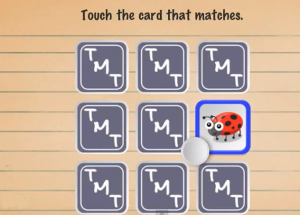
- “Touch the card that matches.” Be careful to press the card that matches with the previous picture.
- “Crack open the egg.” Tap the egg until it cracks.
- “Touch the cows from largest to smallest.” Begin with the one in the upper right corner, then continue with the one in the lower left corner, and so on.
- Checkpoint: “Touch the orange apple to continue.” Touch the orange apple in the title sentence.
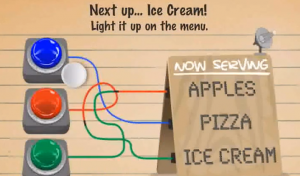
- “Next up...Ice cream. Light it up on the menu.” Touch the red button.
- “Touch the ingredients to add them to the cone.” Remember the arrangement in the previous picture: chocolate, blue, blue and yellow sticks, and white.
- “Touch the smallest green square, then the biggest orange circle, then the smallest red triangle.” Be careful at the shapes and colors in the following pictures.
- “Touch the blue button.” Be careful that this stage has a switch which you'll have to flip.
- “Touch the red buttons from left to right, then touch the remaining buttons from left to right.” Be careful when changing the direction of pressing.
- Touch the colored glasses in the order previously described: green, blue, blue, green, blue, green, red, green, green.
- What is the first word of this sentence? The answer is “What” (the capital letter)
Next Page »
The Moron Test Walkthrough
The Moron Test: Old School The Moron Test: Late Registration The Moron Test: Winter Break The Moron Test: Food Fight The Moron Test: Skip Day
The Moron Test: Skip Day
- “Touch the sad face.” Press the yellow smiley.
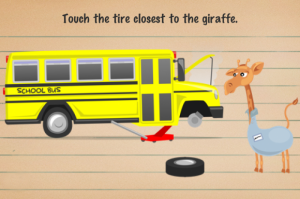
- “Touch the tire closest to the giraffe”
- “Open the windows from right to left.” Tap the windows beginning with the right side.
- “Click the back tire 3 times”
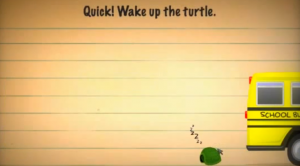
- “Quick! Wake up the turtle!” Be quick to tap the turtle.
- “Click the seat belt to continue.” Click the seat belt in the middle.
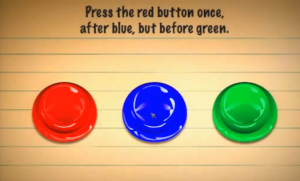
- “Press the red button once, after blue, but before green.” Be careful that the positions of the buttons will change when you tap them.
- “Quick! Click the yellow and then the red light.” Be quick to tap the traffic lights.
- “Shake the fly off of the giraffe.” Shake your device to get rid of the fly.
- You'll get a hint: “When you see flies you must shake them off the notecard before doing anything else!”
- “Click the eastmost bird.” Be careful, the compass shows the east instead of south. So, click the bird in the bottom of the notecard.
- “Press the buttons from left to right.” Begin with the red button on the left and then the green, and so on. Be careful that the buttons will change their shapes.
- “Click the cloths to continue.” Click on the cloths with the square pattern in the middle, and not on the clothes or the “closed” sign.
- “Which sign does not belong?” The answer is the third sign which says “beach” (no initial capital letter).
- “Click the sand castle!” Click the sand castle on the right.
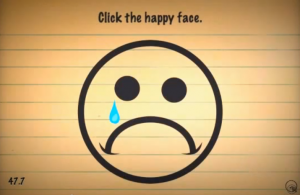
- “Click the happy face!” Don't be mislead, the big face here is not happy. Instead, the happy face is very small and you'll find it in the bottom right corner.
- “Click the beach balls from smallest to largest!” Be careful, the smallest ball is the second, counting from the right.
- “Click the third crab.” Tap each of the stones until you discover the third crab. Be careful there is a lady bug as well.
- “Click the numbers highest to lowest according to value.” Click the following series: 102, 52, 17, 10.3, 9
- “Click the star fish:” You'll find it on the leftmost side of the notecard.
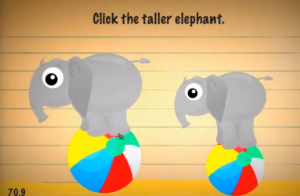
- “Click the taller elephant.” It's the elephant on the left.
- “Quick! Click the next 6 crabs.” Click the stones and you'll find the crabs underneath them. Be careful, there will be other animals appearing as well.
- “Click the bird's left eye.” Click the eye of the bird on the right.
- “Click the ducks, biggest to small est, ignoring eye size.” Begin with the one on the right and be careful that the second one in size is the third one on the row.
- “How many flies are left?” You are asked to shake twice. The answer is 0.
- “Click the sail to continue.” Click the boat's sail on the left.
- “Which does not belong?” The minuscule lady bug under the rug.
- “Quick! Wake up the elephant!” Click the elephant to blow air into the kite.
- “Click the lifesavers that are orange and white, from smallest to largest.” Begin with the smaller lifesaver on top and continue with the second from the bottom. Then eliminate the other lifesavers, from the smallest to the largest.
- “Click the remaining lifesavers from top to bottom.” Just click on the white lifesaver and then on the orange ones.
- “Push down the pump three times.” Tap the pump three times.
- “Click the monkey to continue.” Press the monkey to make it throw the duck to the giraffe.
- “How many crabs were awake?” The answer is four (remember the image before).
- “Click the starred fish to continue.” Click the fish with a star on the left not the star fish.
- “Click the tank to wake up the fishes.” Click the tank several times to wake up the fishes.
- “Press the green button to fail.” Do not press anything, just wait for the next notecard.
- “Click the green turtle, then the pink turtle.” Click the green turtle, then shake the device to be able to click the pink turtle.
- “Click the biggest upside down happy face.” Turn your device upside down and you'll get the happy face in yellow.
- “Click the water to continue.” Be careful, do not click the tank but the water of the sea.
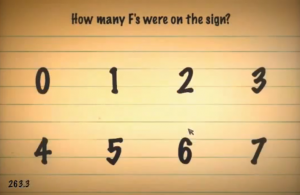
- “Count the number of F's on the sign. Then, click anywhere to continue.” There are 6 F's.
- “How many F's were on the sign?” [6].
Images from this guide
View 23 more original images