Android · App Walkthroughs · Facebook
100 Gates Walkthrough, Cheats & Guide for Android
This is a full 100 Gates Walkthrough for cheats, solutions, answers, and guides to all levels of the 100 Gates app for Android. Play the 100 Gates app to test your escape game skills, as escape games have been the biggest trend in mobile apps this year. As always, if you need help on a level of 100 Gates, use this 100 Gates Walkthrough for all the answers to this game. Download 100 Gates 100 Gates Walkthrough Level 1-10 100 Gates Walkthrough Level 11-20 100 Gates Walkthrough Level 21-30 100 Gates Walkthrough Level 31-40
100 Gates Walkthrough Level 1
- Tap the door to open it.
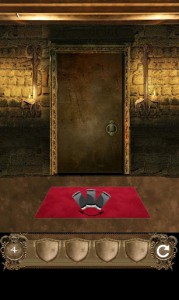
100 Gates Walkthrough Level 2
- Drag the ring on the bottom right onto the door and lion's mouth.
- Tap the lion to open the door.
100 Gates Walkthrough Level 3
- Drag the grass on the bottom left to the right.
- Hold the flashing circle until the door opens.
100 Gates Walkthrough Level 4
- Shake your device until the door opens.
100 Gates Walkthrough Level 5
- Slide each sword in the direction that the blade is facing. Starting from bottom left to bottom right, swipe your finger in these directions - up, down, right, left, up down.
100 Gates Walkthrough Level 6
- Tilt your phone so that the two metal balls meet in the middle of the cross.
- Wait for a statue to appear and you will be able to open the door.
100 Gates Walkthrough Level 7
- Shake your device to make the knight and curtain disappear.
- Tap to change the colors of the stars so that they match the map. From bottom left to bottom right the stars should be these colors - red, blue, yellow, green, blue, green, red, yellow, blue.
- Tap the wooden fence to open the door.
100 Gates Walkthrough Level 8
- Choose the hammer in your inventory and tap all the roaches to kill them.
100 Gates Walkthrough Level 9
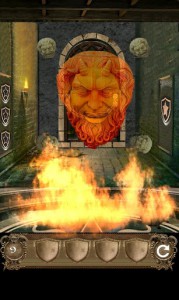
- Shake your phone to put out the fire.
- Tap the devil's face twice to make it disappear.
- Tap the bucket on the bottom right and take the key.
- Use the key to open the lock and the door will open.
Cool Apps Man brings you the latest app walkthroughs, cheats, solutions, guides, reviews and news for iOS and Android applications. This is a full 100 Gates Walkthrough for cheats, solutions, answers, and guides to all levels of the 100 Gates app for Android. Play the 100 Gates app to test your escape game skills, as escape games have been the biggest trend in mobile apps this year. As always, if you need help on a level of 100 Gates, use this 100 Gates Walkthrough for all the answers to this game. Download 100 Gates 100 Gates Walkthrough Level 1-10 100 Gates Walkthrough Level 11-20 100 Gates Walkthrough Level 21-30 100 Gates Walkthrough Level 31-40
100 Gates Walkthrough Level 10
- Tap the white paint bucket to add it to your inventory.
- Use the white paint to paint the three lion symbols on the door.
- Tap to open the door.
100 Gates Walkthrough Level 11
- Drag the pile of wood into the fireplace.
- Shake your phone to start a fire.
- Tap the wooden box.
- Drag the shapes into their places (yellow triangle - top left corner of fireplace; green rectangle - green rectangle on top of screen; red semi-circle - dark semi-circle on the top middle of the fireplace; blue circle - dark circle in top right of screen)
100 Gates Walkthrough Level 12
- Use the hammer to break the five bottles of wine.
- Tap to take the knife.
- Use the knife to cut away the spider's web until you can see the end of the room.
- Tap the wine cabinet and the door will open.
100 Gates Walkthrough Level 13
- Tap the white button on the chair.
- Slowly tilt your phone to the right until the chair disappears.
- Tap the painting and the door will open.
100 Gates Walkthrough Level 14
- Move all the weapons to a corner so you can see all the pieces of the skeleton that you must put together.
- Put the skeleton back together in the order indicated on the floor.
- 1st - chest (bottom right), 2nd - pelvis (top left), 3rd - left leg, 4th - right leg, 5th - left arm, 6th - right arm
- Tap the mirror until it breaks and the door will open.
100 Gates Walkthrough Level 15
- Tap the sun symbol in the upper left corner.
- Place the sun symbol on the door.
- Tap the zodiac signs in this order - Aries, Gemini, Cancer, Libra Pisces, Sagittarius
100 Gates Walkthrough Level 16
- Tilt your phone until the bow is pointing to the upper left corner.
- Tap the bottom left cupid.
- Tilt your phone until the bow is pointing to the bottom left corner.
- Tap the upper left cupid.
- Tilt your phone until the bow is pointing straight up.
- Tap the upper right cupid.
- Tilt your phone until the bow is pointing straight down.
- Tap the last cupid.
- Tap the door and it will open.
100 Gates Walkthrough Level 17
- Tap the fruits in the order shown on the pan - apple, blackberry, peach, pear, strawberry, cherry, banana, watermelon, lemon, apple.
- You will hear a sound when you have got it correctly, then tap the door to open it.
100 Gates Walkthrough Level 18
- Tap 3, 5, 9, 7, 1
100 Gates Walkthrough Level 19
- Tap to make these 3 petals blue - top petal, and the two petals two petals away from the top petal.
100 Gates Walkthrough Level 20
- Tap the knife and use it to cut the vines.
- The code that appears tells you how many times to tap each symbol (bottom left - 1; top right - 3; bottom right - 2)
- Press and hold the sword to open the door.
This is a full 100 Gates Walkthrough for cheats, solutions, answers, and guides to all levels of the 100 Gates app for Android. Play the 100 Gates app to test your escape game skills, as escape games have been the biggest trend in mobile apps this year. As always, if you need help on a level of 100 Gates, use this 100 Gates Walkthrough for all the answers to this game. Download 100 Gates 100 Gates Walkthrough Level 1-10 100 Gates Walkthrough Level 11-20 100 Gates Walkthrough Level 21-30 100 Gates Walkthrough Level 31-40
100 Gates Walkthrough Level 21
- Shake your phone to wake the dragon.
- When the dragon stops breathing fire, arrange the pipes using the clues on the wall.
- When the pipes are connected it will spout water to extinguish the fire.
- Use the sword on the dragon until it goes away.
- Tap to open the door.
100 Gates Walkthrough Level 22
- Tap the scrolls by matching the symbols in the open book to the symbols on the top and bottom of bookshelf. After you tap all the scrolls they will disappear.
- Tap the bookshelf to open the door.
100 Gates Walkthrough Level 23
- Move the balls into their matching spots by tapping them in this order - pink, yellow, purple, green, pink, blue, yellow, purple, green, pink, blue, yellow, purple, green, pink, blue, yellow.
- Once the balls disappear tap the stone to open the door.
100 Gates Walkthrough Level 24
- Tap the skulls in the order of the roman numerals on the left side of the door.
- Hold you phone upright and tap the top skull.
- Turn your phone right and press the left skull.
- Turn your phone upside down and press the right skull.
- Turn your phone back upright and tap the bottom skull.
- All the skulls should spin and disappear.
- Tap the window to open the door.
100 Gates Walkthrough Level 25
- The cog tells you to move 12 and 5 clockwise, and 7 counterclockwise.
- Make the cog hit XII to spin it clockwise, then the V to spin it clockwise.
- Then make the cog hit VII to spin it counterclockwise.
- Tap the middle of the clock to open the door.
100 Gates Walkthrough Level 26
- Change the symbols on top of the door so they match the symbols on the sarcophagus from left to right.
100 Gates Walkthrough Level 27
Tap to move the blocks and complete the picture.
100 Gates Walkthrough Level 28
- Tilt your phone to move the shield and sword to the bottom right corner.
- Move the star to the top left corner.
- Move the bone and skull to the bottom right.
100 Gates Walkthrough Level 29
- Tilt to move the three planets into the appropriate spots from distance from sun.
- Mars on top/middle, Earth on left, and Venus on right.
100 Gates Walkthrough Level 30
- Hold the middle stone circle until the arrow points to each individual key on the wall.
- Move each key into its spot when the arrow is pointing at it.
This is a full 100 Gates Walkthrough for cheats, solutions, answers, and guides to all levels of the 100 Gates app for Android. Play the 100 Gates app to test your escape game skills, as escape games have been the biggest trend in mobile apps this year. As always, if you need help on a level of 100 Gates, use this 100 Gates Walkthrough for all the answers to this game. Download 100 Gates 100 Gates Walkthrough Level 1-10 100 Gates Walkthrough Level 11-20 100 Gates Walkthrough Level 21-30 100 Gates Walkthrough Level 31-40
100 Gates Walkthrough Level 31
Change the numbers from left to right to be 4, 3, 6, 9 (number of full spins each gear makes per cycle)
100 Gates Walkthrough Level 32
Move the panels to complete the Mona Lisa.
100 Gates Walkthrough Level 33
Move the circles to complete a map of the world.
100 Gates Walkthrough Level 34
Place the cogs so that not one of the same cog is next to each other.
100 Gates Walkthrough Level 35
- Shake your phone to move the leaves.
- Tap the top left skull 8 times, the bottom left skull 9 times, and the bottom right skull 3 times.
100 Gates Walkthrough Level 36
Each key is associated with a number. Solve the equation for each row then place the keys on the door that represent the solution.
100 Gates Walkthrough Level 37
Shake your phone and tap the lasers until all three lasers are hitting the switch at the same time. When all lasers are hitting the switch tap the inside of the door to open it.
100 Gates Walkthrough Level 38
Tap all four dragons until the top are right-side up and the bottom two are upside-down. Use the key to open the door.
100 Gates Walkthrough Level 39
Take the sum of all the equations (222) and divide it by 2 (111). Make each side of the green areas above the scale equal 111 by placing the apples in the holes.
100 Gates Walkthrough Level 40
Tap to turn the two middle layers so that the blue sides of the thin multi-colored rings face the blue side (left) and the lighter colors face the right side. Tap to turn the outer layer until the puzzle fits together.
Images from this guide

Community discussion(10)