App Walkthroughs · Facebook · Featured
100 Exits Walkthrough, Cheats and Answers
This 100 Exits walkthrough will provide you with cheats and answers to all 100 Exits levels.
Download 100 Exits
We just can't get enough of these escape from the room puzzle apps! Similar to 100 Floors or Dooors, Apperleft has released 100 Exits, an app that makes you think outside the box to find the exit on each level. 100 Exits is slightly less difficult than 100 Floors or Dooors and has less complex graphics and overall gameplay. However, if you have already beat the 100 Floors and Dooors applications and are still looking for more, then 100 Exits is here to save the day. Need help getting to the end of 100 Exits? Check out our 100 Exits walkthrough, cheats and answers below!
100 Exits Walkthrough, Cheats and Answers
100 Exits Walkthrough Level 1-10 100 Exits Walkthrough Level 11-20 100 Exits Walkthrough Level 21-30 100 Exits Walkthrough Level 31-40 100 Exits Walkthrough Level 41-50
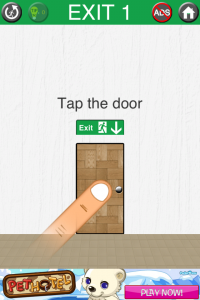
100 Exits Walkthrough Level 1
Tap the door 100 Exits Level 1
`` [youtube_sc url="mXKaHsK7mg4"] ``
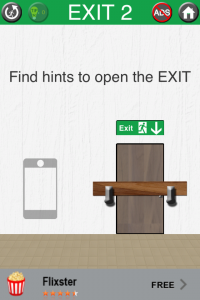
100 Exits Walkthrough Level 2
Turn your device upside down then slide the door. 100 Exits Level 2
`` [youtube_sc url="MSjniIW115o"] ``
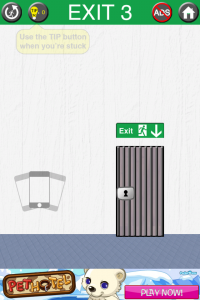
100 Exits Walkthrough Level 3
Shake your device and a key will appear. Tap the key then the door. 100 Exits Level 3
`` [youtube_sc url="RGRNZ85qmXk"] ``
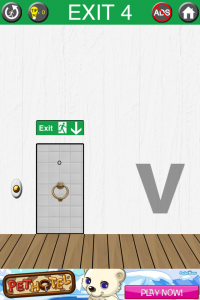
100 Exits Walkthrough Level 4
Tap the door five times using the door knocker. 100 Exits Level 4
`` [youtube_sc url="mDvdbNXFChI"] ``
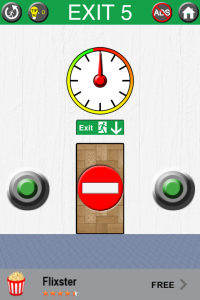
100 Exits Walkthrough Level 5
Tap the green buttons alternatively until the dial reaches green. Tap the door. 100 Exits Level 5
`` [youtube_sc url="a8dDj9s5gM4"] ``
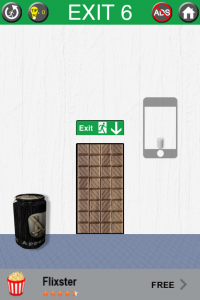
100 Exits Walkthrough Level 6
Tilt your device so the can is in front of the door. Tilt your device towards you then flick it back to break the door. Move the can away from the door. 100 Exits Level 6
`` [youtube_sc url="mX3st8watmM"] ``
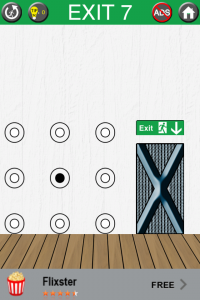
100 Exits Walkthrough Level 7
Tap all center side circles then tap only middle circle. 100 Exits Level 7
`` [youtube_sc url="tKFgN1qfpPs"] ``
100 Exits Walkthrough Level 8
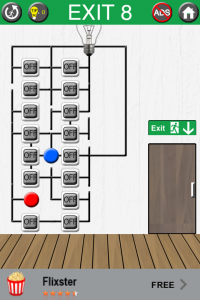
Turn on all switches shown in screenshot then slide the door open. 100 Exits Level 8
`` [youtube_sc url="9cPTTUxLcDM"] ``
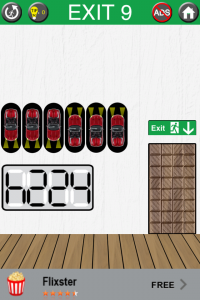
100 Exits Walkthrough Level 9
Swipe the two left cars down then swipe the two right cars up. Tap the door. 100 Exits Level 9
`` [youtube_sc url="uVl7huoEYJM"] ``
100 Exits Walkthrough Level 10
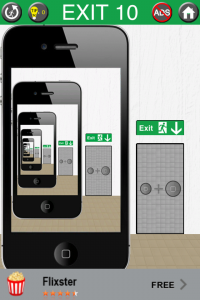
Tap your phone's home button and the home button on the screen at the same time. 100 Exits Level 10
`` [youtube_sc url="JP4fr7V07ac"] ``
100 Exits Walkthrough Level 1-10 100 Exits Walkthrough Level 11-20 100 Exits Walkthrough Level 21-30 100 Exits Walkthrough Level 31-40 100 Exits Walkthrough Level 41-50 Cool Apps Man brings you the latest app walkthroughs, cheats, solutions, guides, reviews and news for iOS and Android applications.
100 Exits Walkthrough, Cheats and Answers
100 Exits Walkthrough Level 1-10 100 Exits Walkthrough Level 11-20 100 Exits Walkthrough Level 21-30 100 Exits Walkthrough Level 31-40 100 Exits Walkthrough Level 41-50
100 Exits Walkthrough Level 11
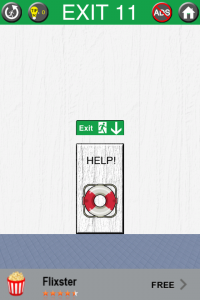
Tap SOS Morse code on the life preserver quickly. Dot-dot-dot-dash-dash-dash-dot-dot-dot (dot = quick tap; dash = slightly longer hold) 100 Exits Level 11
`` [youtube_sc url="m9xNHPvCSt8"] ``
100 Exits Walkthrough Level 12
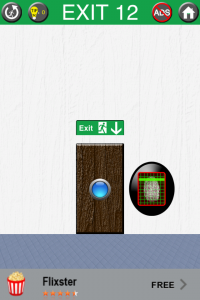
Hold your thumb on the scanner until the door opens. 100 Exits Level 12
`` [youtube_sc url="Y8hIrkP37Kg"] ``
100 Exits Walkthrough Level 13
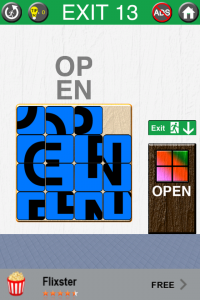
Move the tiles around to resemble the "OPEN" pattern above the door. 100 Exits Level 13
`` [youtube_sc url="y_2xXqjQC-c"] ``
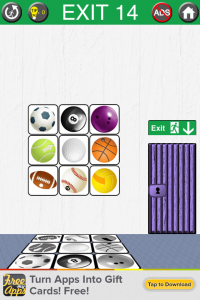
100 Exits Walkthrough Level 14
Tap the balls until they resemble the pattern on the floor. 100 Exits Level 14
`` [youtube_sc url="8zvf9iRbP6w"] ``
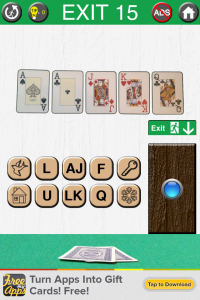
100 Exits Walkthrough Level 15
Tap the buttons in this order: F, U, L, L, HOUSE, KEY 100 Exits Level 15
`` [youtube_sc url="XeoYwojXpTU"] ``
100 Exits Walkthrough Level 16
Place your device on a flat surface and the door will open. 100 Exits Level 16
`` [youtube_sc url="kBLEPrwvyRA"] ``
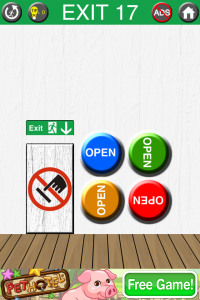
100 Exits Walkthrough Level 17
Don't touch your device and keep it still until the door opens. 100 Exits Level 17
`` [youtube_sc url="ZSf_xf5S8zc"] ``
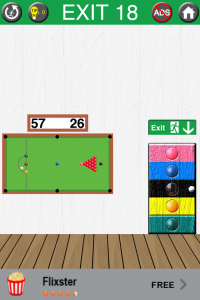
100 Exits Walkthrough Level 18
Tap the colored stripes on the door in this order: BLUE, BLACK, YELLOW, PINK 100 Exits Level 18
`` [youtube_sc url="Vj4_rlLx3zY"] ``
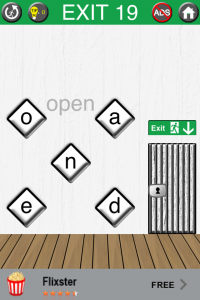
100 Exits Walkthrough Level 19
Tap O, then turn your device upside down and tap P. Turn your device right side up and tap E, N. 100 Exits Level 19
`` [youtube_sc url="Zc5zPotlsoE"] ``
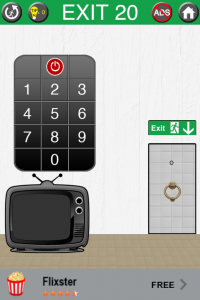
100 Exits Walkthrough Level 20
Tap the power button. Then tap the buttons in this order: 2, 0 PAUSE, 8, 6, PAUSE, 3, 6, 5, 9, 8. Tap the door. 100 Exits Level 20
`` [youtube_sc url="QzCp9qdcH6A"] ``
100 Exits Walkthrough, Cheats and Answers
100 Exits Walkthrough Level 1-10 100 Exits Walkthrough Level 11-20 100 Exits Walkthrough Level 21-30 100 Exits Walkthrough Level 1-10 100 Exits Walkthrough Level 11-20 100 Exits Walkthrough Level 21-30 100 Exits Walkthrough Level 31-40 100 Exits Walkthrough Level 41-50
100 Exits Walkthrough, Cheats and Answers
100 Exits Walkthrough Level 1-10 100 Exits Walkthrough Level 11-20 100 Exits Walkthrough Level 21-30 100 Exits Walkthrough Level 31-40 100 Exits Walkthrough Level 41-50
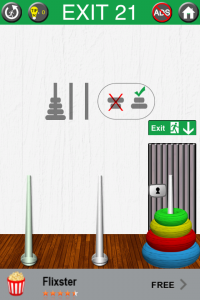
100 Exits Walkthrough Level 21
Move the rings in this order: Green middle, yellow left, green left, red middle, green middle, yellow right, green left, yellow middle, green middle, blue left, green left, yellow right, green right, red left, green middle, yellow left, green left. Tap the key on the door. 100 Exits Level 21
`` [youtube_sc url="8hCOtWohaa4"] ``
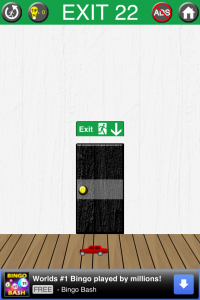
100 Exits Walkthrough Level 22
Tap the door when the yellow car in on screen. 100 Exits Level 22
`` [youtube_sc url="RRwZZgFPajM"] ``
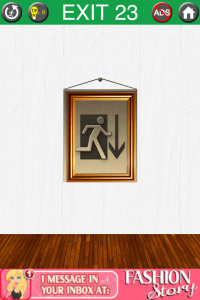
100 Exits Walkthrough Level 23
Shake device and picture will fall off wall. Double tap hammer then tap to use it. Knock under exit sign until door breaks. 100 Exits Level 23
`` [youtube_sc url="MXV2_BEvIf0"] ``
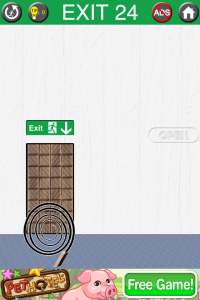
100 Exits Walkthrough Level 24
Tap and drag the whip to the right under the open sign. Tap the door. 100 Exits Level 24
`` [youtube_sc url="Ib-Cl9c1pNM"] ``
Ib-Cl9c1pNM
100 Exits Walkthrough Level 25
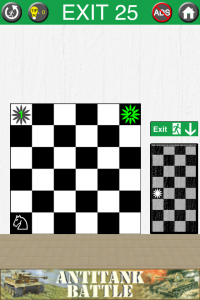
Tap the horse in the bottom left corner. Tap the square 2 up and 1 to the right just like a horse in chess. Tap square 2 up and 1 right again. Tap square with number 1 on it. Tap square 2 right 1 down, tap square 2 right 1 down again. Tap square with number 2 on it. 100 Exits Level 25
`` [youtube_sc url="CecEG3Aw4ls"] ``
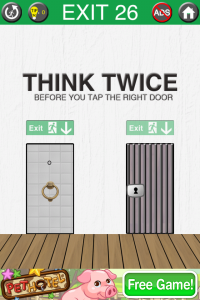
100 Exits Walkthrough Level 26
Tap the word "THINK" twice. Tap the right door then the left door. 100 Exits Level 26
`` [youtube_sc url="2uYOk6tIGjQ"] ``
100 Exits Walkthrough Level 27
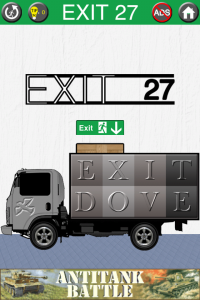
Tap the letters in this order: E, X, I, T, X, X, V, I, I. Tap door. 100 Exits Level 27
`` [youtube_sc url="Zd5Avs1I2eU"] ``
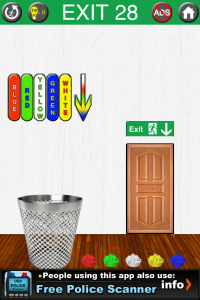
100 Exits Walkthrough Level 28
Drag the colored balls into the trash in this order: Green, White, Red, Blue, Yellow 100 Exits Level 28
`` [youtube_sc url="PVSwZyNpMK8"] ``
100 Exits Walkthrough Level 29
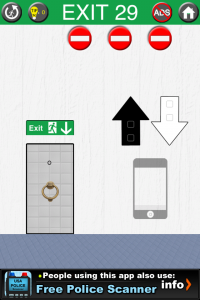
Tap your device's home button twice then turn your device upside down. Tap your device's home button twice then turn your device right side up. Repeat this three more times. 100 Exits Level 29
`` [youtube_sc url="NHuPPQyjxYc"] ``
100 Exits Walkthrough Level 30
Tap "100EXITS" by each letter in a downwards diagonal from right to left. Tap "OPENDOOR" by each letter in the third row. 100 Exits Level 30
`` [youtube_sc url="1RpNTiZjp_E"] ``
100 Exits Walkthrough Level 1-10 100 Exits Walkthrough Level 11-20 100 Exits Walkthrough Level 21-30 100 Exits Walkthrough Level 31-40 100 Exits Walkthrough Level 41-50
100 Exits Walkthrough, Cheats and Answers
100 Exits Walkthrough Level 1-10 100 Exits Walkthrough Level 11-20 100 Exits Walkthrough Level 21-30 100 Exits Walkthrough Level 31-40 100 Exits Walkthrough Level 41-50
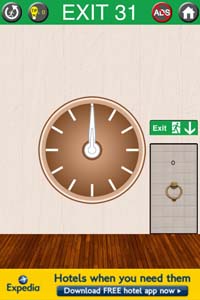
100 Exits Walkthrough Level 31
Touch and hold on the clock until the clock reaches the current time. Tap the door. 100 Exits Level 31
`` [youtube_sc url="UiPUOCzGeQQ"] ``
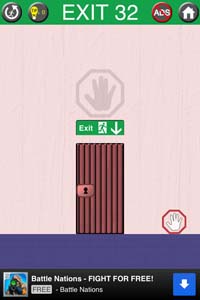
100 Exits Walkthrough Level 32
Turn your phone upside down and the hand will become bigger. Tilt your phone to fit the hand into the hand over the door. 100 Exits Level 32
`` [youtube_sc url="TTNm0sqEdzg"] ``
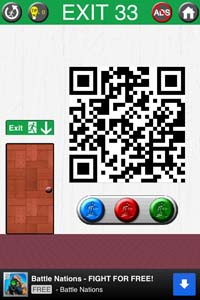
100 Exits Walkthrough Level 33
Tap each button three times from left to right and the door will open. 100 Exits Level 33
`` [youtube_sc url="qszAKaXfAU0"] ``
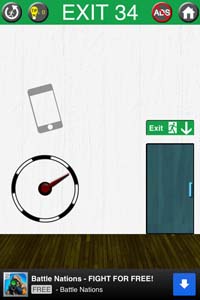
100 Exits Walkthrough Level 34
Rotate your phone full circle making sure that the needle is always pointed to the sky. 100 Exits Level 34
`` [youtube_sc url="mOAl7vqee_w"] ``
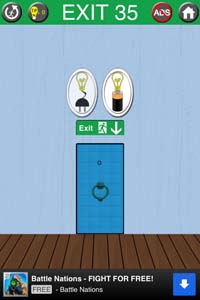
100 Exits Walkthrough Level 35
Plug in your phone and tap the left button. Unplug your phone and tap the right button. Touch the door to open it. 100 Exits Level 35
`` [youtube_sc url="HLvrnU9TX6Y"] ``
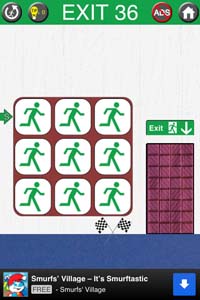
100 Exits Walkthrough Level 36
Tap each icon until they are running in an "S" shape. 100 Exits Level 36
`` [youtube_sc url="mDvdbNXFChI"] ``
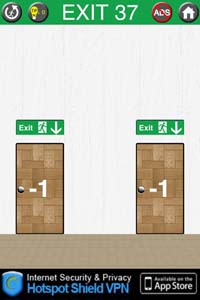
100 Exits Walkthrough Level 37
Tap the -1s on the doors at the same time with two fingers. Tap the doors again with two fingers and the doors will open. Tap the open doors with two fingers. 100 Exits Level 37
`` [youtube_sc url="yjtrp4hKWA8"] ``
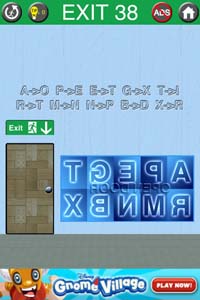
100 Exits Walkthrough Level 38
Tap the letters XAABMPNA. You will be brought back to level 37 so use the same solution to move to level 39. 100 Exits Level 38
`` [youtube_sc url="TyfyJXWbdhM"] ``
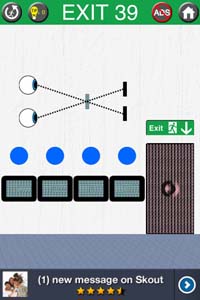
100 Exits Walkthrough Level 39
Tap the blue shapes until they make this pattern from left to right: triangle, circle, square, X. 100 Exits Level 39
`` [youtube_sc url="moAln8xdwa0"] ``
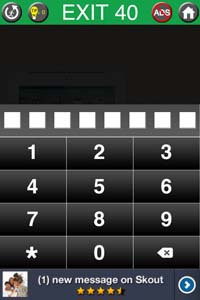
100 Exits Walkthrough Level 40
Slide to unlock. Enter the code 4506 4509 (bosh gosh upside down). Tap the 100 Exits icon on the iPad and the door will open. 100 Exits Level 40
`` [youtube_sc url="ItMEVp3PeNQ"] ``
100 Exits Walkthrough Level 1-10 100 Exits Walkthrough Level 11-20 100 Exits Walkthrough Level 21-30 100 Exits Walkthrough Level 31-40 100 Exits Walkthrough Level 41-50
100 Exits Walkthrough, Cheats and Answers
100 Exits Walkthrough Level 1-10 100 Exits Walkthrough Level 11-20 100 Exits Walkthrough Level 21-30 100 Exits Walkthrough Level 31-40 100 Exits Walkthrough Level 41-50
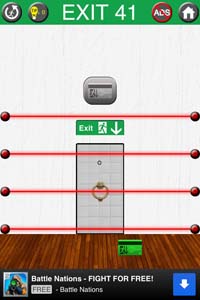
100 Exits Walkthrough Level 41
Tilt your phone face down and the bottom line will disappear. Drag the green card up and tilt your phone 90 degrees until the second line disappears. Drag the green card up and tilt your phone 270 degrees until the third line disappears. Drag the green card up and tilt your phone 180 degrees until the fourth line disappears. Drag the green card into the slot on the top of the door. 100 Exits Level 41
`` [youtube_sc url="dg3IrPfYzdw"] ``
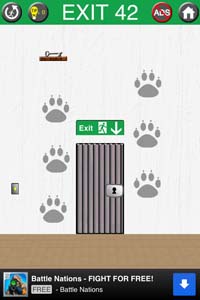
100 Exits Walkthrough Level 42
Tap the light switch to turn on the lights. Touch and hold the animal prints with two fingers from bottom to top, waiting until the paws turn black. Tap the key and it will fall. Tap the key on the floor and use it to open the door. 100 Exits Level 42
`` [youtube_sc url="of9pk9Iz4lQ"] ``
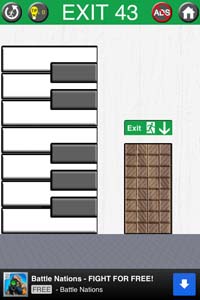
100 Exits Walkthrough Level 43
Tilt your phone 90 degrees and a Rest In Peace sign will be revealed. Tap the keys on the piano that correspond with the colors in the letters. Slide the piano back and the door will be open. 100 Exits Level 43
`` [youtube_sc url="lgl4lwsltrE"] ``
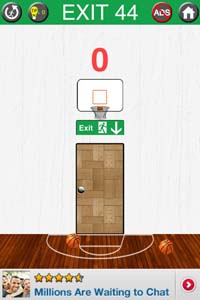
100 Exits Walkthrough Level 44
Shoot the right ball in the hoop 14 times and the left ball in the hoop once to get a score of 44. 100 Exits Level 44
`` [youtube_sc url="7Jc9Jjl1T3c"] ``
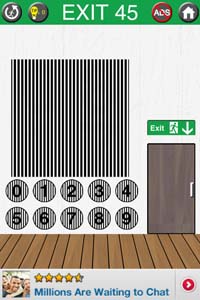
100 Exits Walkthrough Level 45
Shake your head and you will see the date displayed behind the lines. Enter the current date in this format 20120817. 100 Exits Level 45
`` [youtube_sc url="YKC4yuZOiuw"] ``
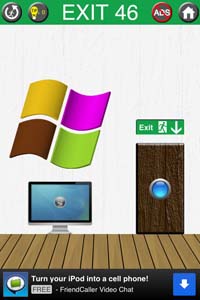
100 Exits Walkthrough Level 46
Tap the sections of the Windows icons until they are the correct colors. Bottom left blue, bottom right yellow, top left orange, top left green. 100 Exits Level 46
`` [youtube_sc url="XAr2y-EUFU0"] ``
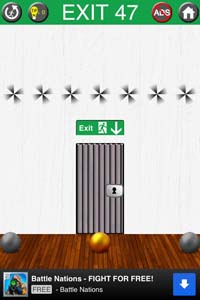
100 Exits Walkthrough Level 47
Tilt your phone in the following directions to tap the ball and spin the pinwheels: right, left, right, right, left, right, left 100 Exits Level 47
`` [youtube_sc url="RCSDn-0IKdc"] ``
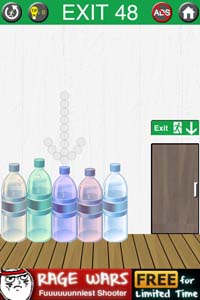
100 Exits Walkthrough Level 48
Tap the bottles in this order from left to right - 1st, 2nd, 4th, 3rd, 5th 100 Exits Level 48
`` [youtube_sc url="cJIfY6b5DxY"] ``
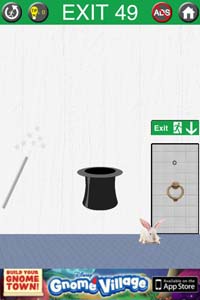
100 Exits Walkthrough Level 49
Drag the rabbit into the hat. Shake your phone until stars appear. Tap the hat to turn it upside down and the door will open. 100 Exits Level 49
`` [youtube_sc url="ESB9Ac-bywc"] ``
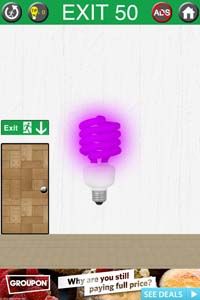
100 Exits Walkthrough Level 50
Place phone on a flat surface facing up. Tilt phone 90 degrees to the left. Place phone face down on flat surface. Stand phone upside down. Make sure to wait for the light to change colors each move. The light will be green when you can tap the door to open. 100 Exits Level 50
`` [youtube_sc url="JWLNmuGglrg"] ``
100 Exits Walkthrough Level 1-10 100 Exits Walkthrough Level 11-20 100 Exits Walkthrough Level 21-30 100 Exits Walkthrough Level 31-40 100 Exits Walkthrough Level 41-50
Images from this guide
View 26 more original images